Bridge AI
AI behavioral therapy remote training application (App)
Overview
Design a professional, clean, and easy-to-use behavioral therapy remote training application (App) to help both therapists and parents train and evaluate Special Education Needs (SEN) children.
Responsibilities
- Stakeholder Interview
- Pain Point Analysis
- Persona Creation
- Mood Board
- Wireframes
- UI Design & Prototyping
- User Testing
About
Bridge AI, a subsidiary of Bridge Academy Education Centre, is committed to improve Special Education Needs (SEN) students’ learning with technology. By using applied behavior analysis (ABA), behavioral therapists guide SEN children to complete various trainings, and then record and analyze their performance.
The Problem
Bridge AI has trained more than 300 SEN children since 2013. Therefore, it has developed more than 10,000 training contents and accumulated a huge amount of data. They would like to have a professional, comprehensive, and user-friendly interface to show the information and reports.
The Process
The design process of Bridge AI App was shaped by the principles of the design thinking methodology.

Discovery and Research
Understand the users

Plan and Frame
Structuring content

Create and Iterate
Designing wireframes and prototypes
Kick-off Meeting with the Client
In our kick-off meeting with the client, we learned that the target audiences are supervisors, therapists and parents who use the App to train the SEN children. We also spent some time to understand their workflow, AI technology and reports.
Discovery Phase
Stakeholder Interviews
We conducted 2 in-depth interviews with our primary users (Supervisor and Therapist) to identify pain points, opportunity, and insights.
Important Takeaways
Supervisor
- Currently using multiple Excel files
- Difficult to analyze data
- Time-consuming to generate report and design sessions
Therapist
- Easy to input data wrongly in current scoring system
- Time-consuming to setup sessions
- Inconvenient communication
Persona
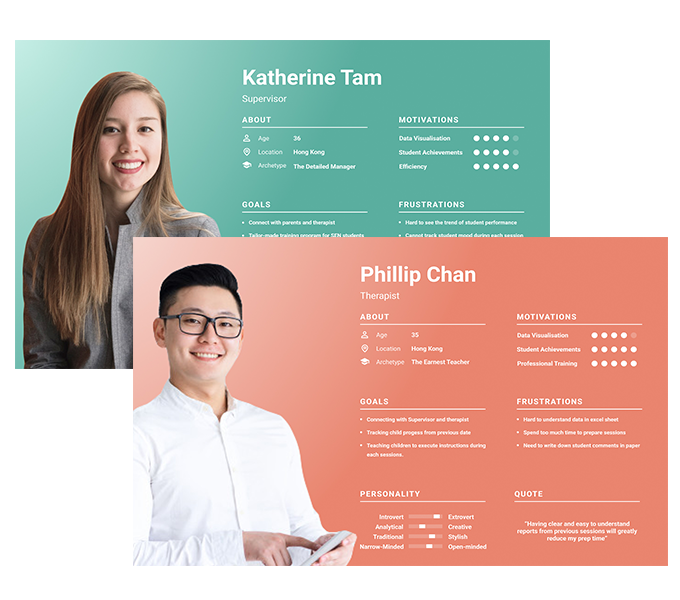
Based on the research we set up two personas.
The personas were important to analyze the behavior and the preferences of the users that used the app.
Problem Statement
How might we enhance data input accuracy for scoring system?
How might we simplify management and analysis process?
Plan and Frame Phase
Ideate
After brainstorming through a few ideas, we defined the following key features for the app:

Interactive Data Visualization
- Quick, clear understanding of the information
- Analysis at various levels of detail

Personalized report dashboard
- Overview of student’s report

Easy-to-use Scoring System
- Re-design layout for better data input accuracy

Communication Tool
- Instant messaging tool for quick and direct communication
Design System
Create and Iterate Phase
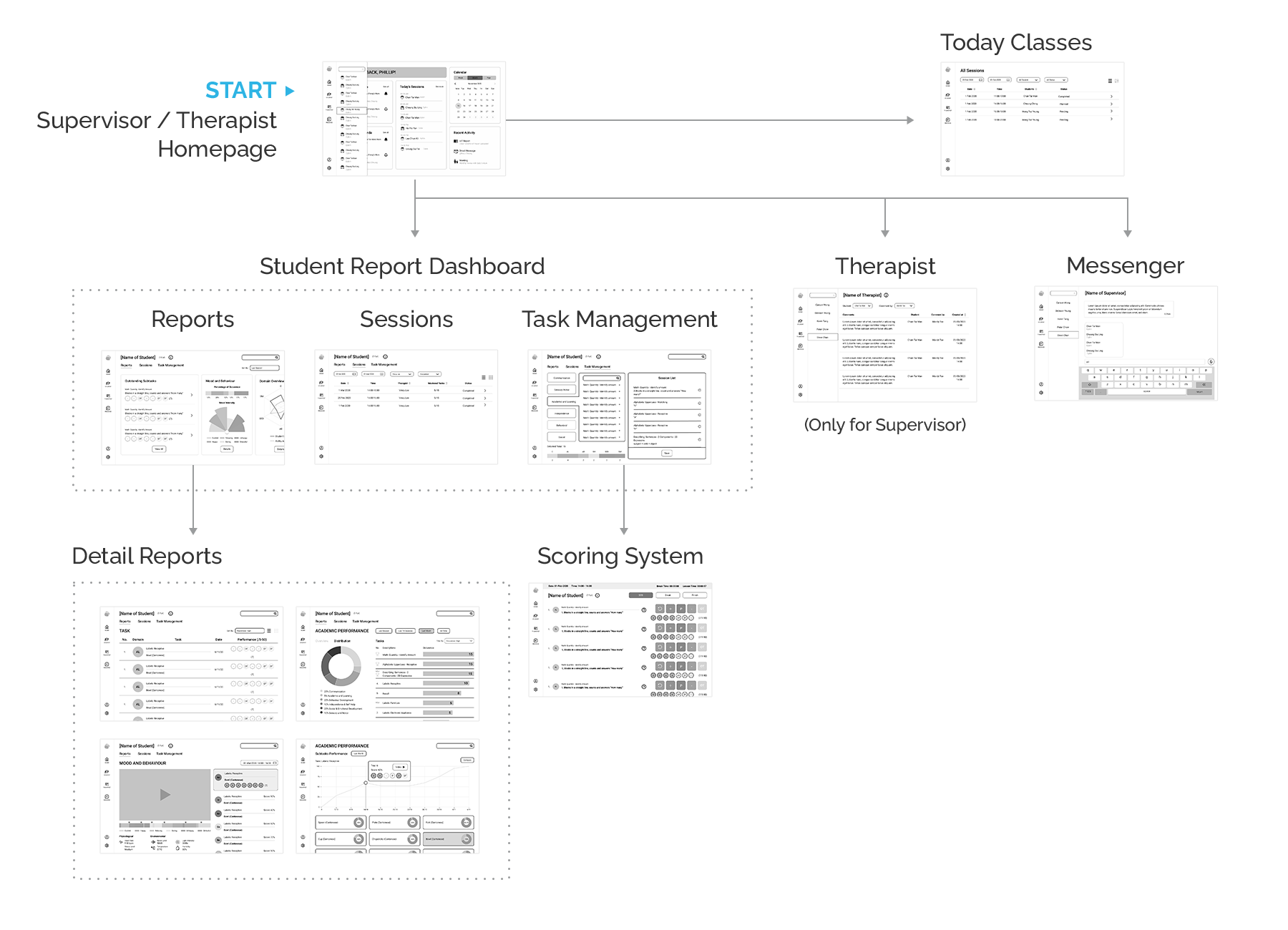
Mid-fidelity Wireframe
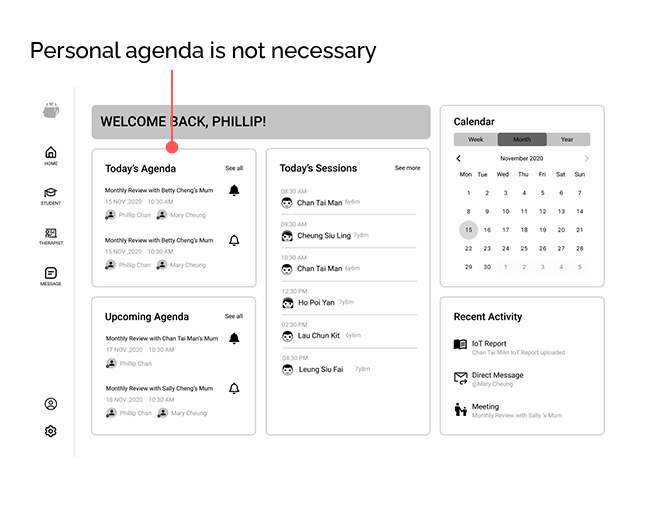
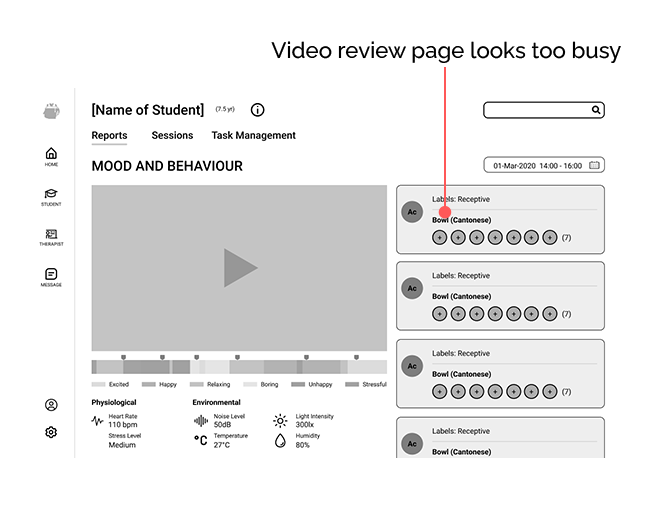
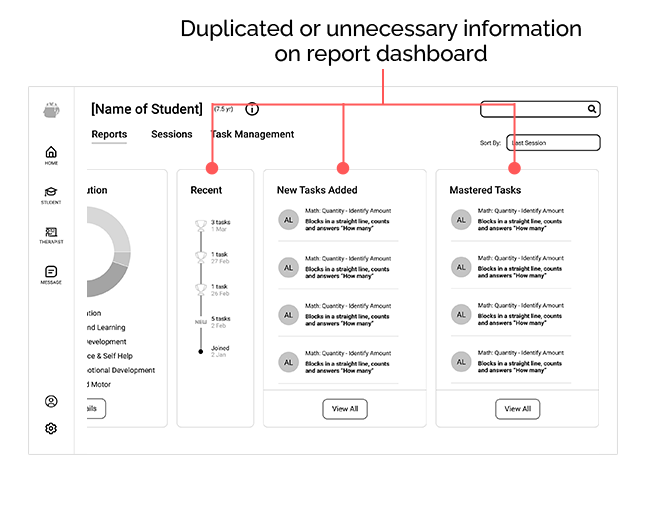
Wireframe were created based on insights from interviews. After creating mid-fidelity wireframes, we converted them into an interactive prototype using Figma software.
We tested the idea with users and fix the problems in the early stage.
Final Design
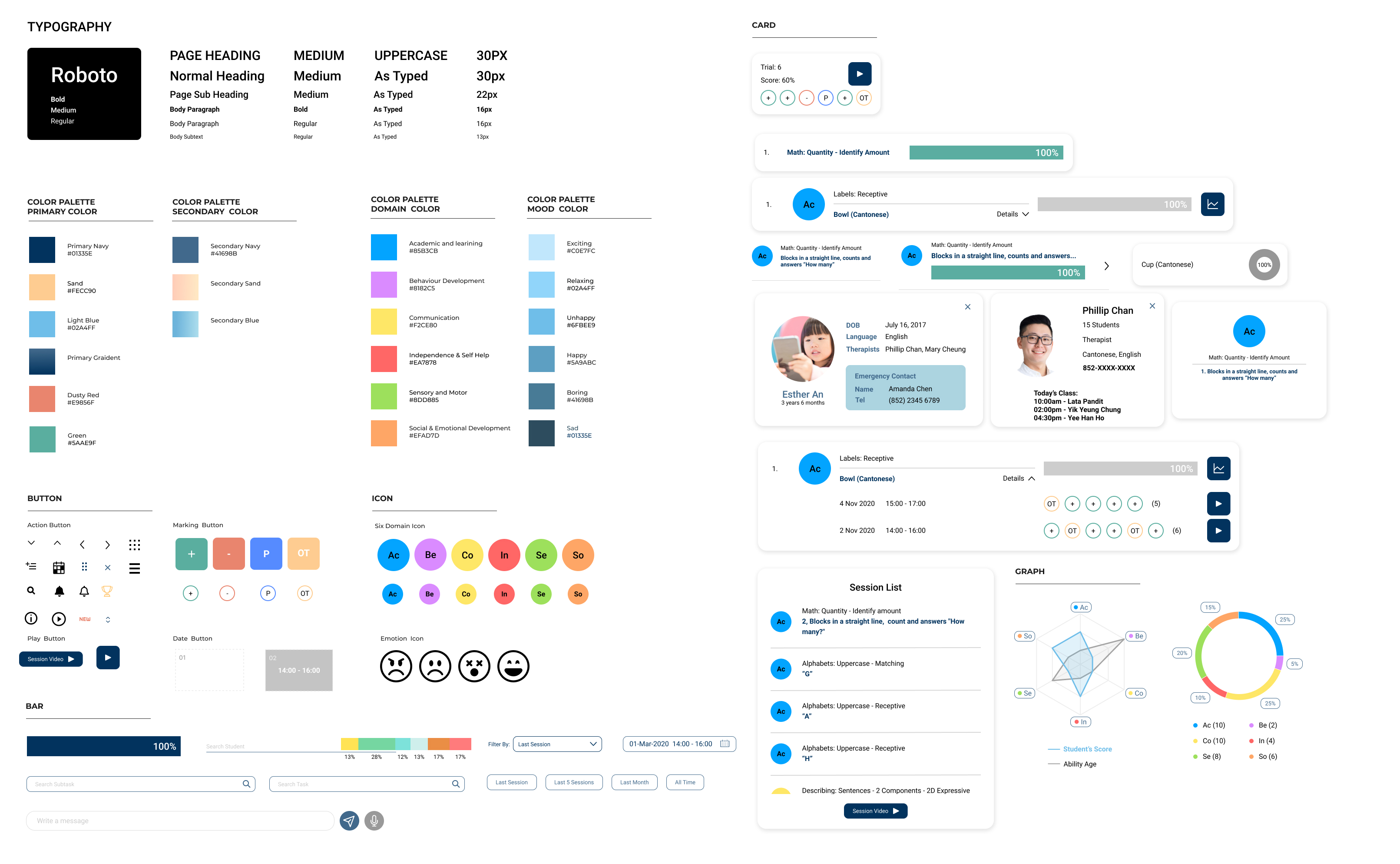
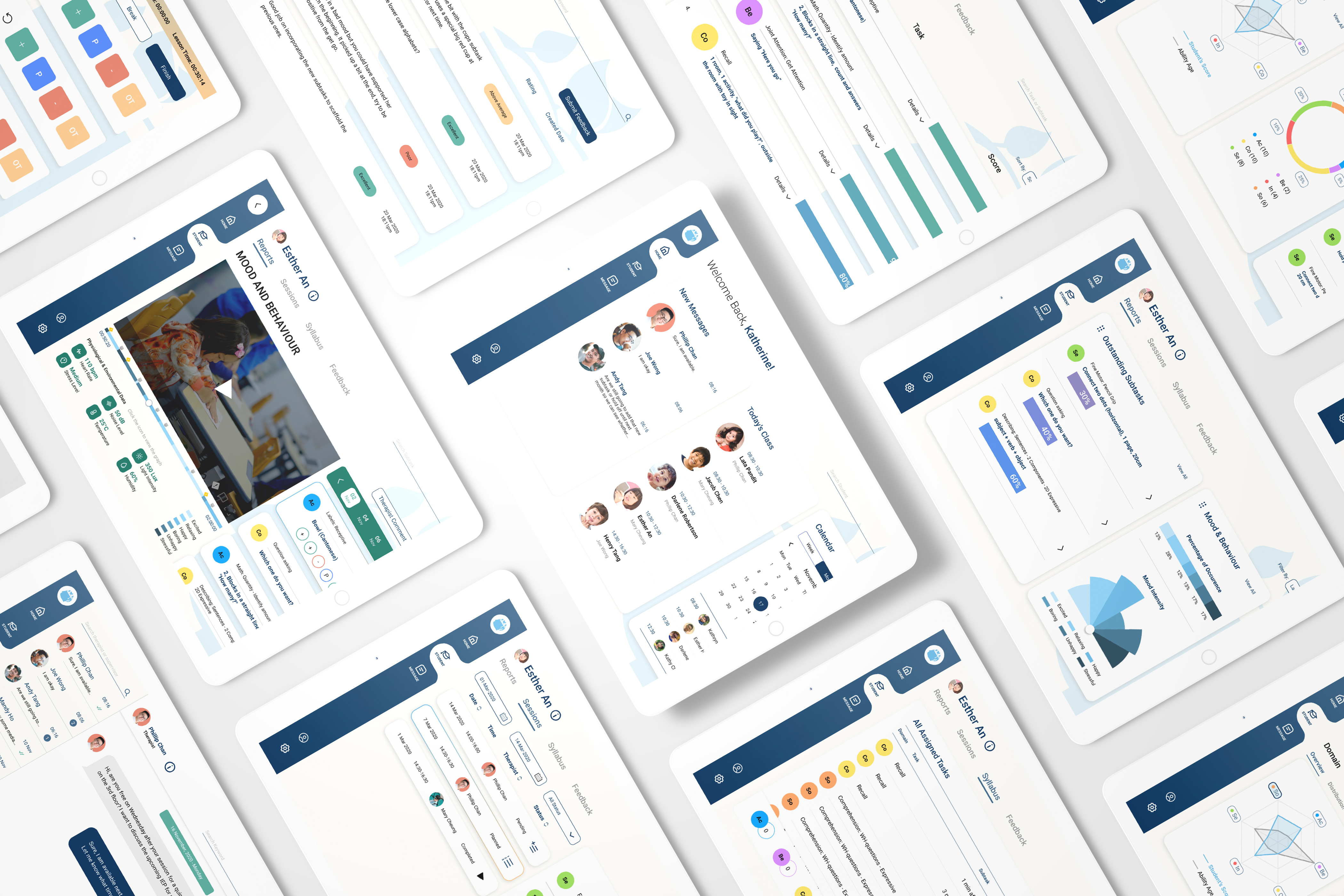
We eliminated unnecessary elements and kept all design elements consistent (according to design system) throughout the app to ensure a clean and well-spaced design.
Conclusion
What I have learned from this project?
To design a training App for specified professionals I had to dive deeply into understanding the industry and figure out how to present the information in an easy-understanding way. It takes time but inevitable and valuable.
Creating mid-fidelity prototypes for feedback at early stage was crucial to fixing issues with our approach and determining the future design direction.